
Show‑day timing. Built for the stage.
DexCue Timer gives show callers, AV crews, stage managers, and production teams one show computer for timing, stage displays, and remote control.
Every control a show operator needs.
01
Timer lineup and supporting timers
Run multiple timers per session. Supporting timers stay visible while you choose which one drives the main output.
03
Fast show controls
Start, pause, reset, and nudge time quickly so the operator can stay focused on the show.
04
One show computer, multiple controllers
One Host runs the timer system. Operators can control it from another device or any browser on the local network.
-
01Conferences & Keynotes
-
02Corporate Town Halls
-
03Award Ceremonies
-
04Panel Sessions
-
05Studio & Broadcast
-
06Graduation Ceremonies
The right timer view for
every screen in the room.
Stage confidence, clean audience timers, supporting timers, and operator messages. All from the same show computer. Choose what each display shows.
Full display: timer, progress, time, supporting timers, and operator messages. Everything a speaker and stage manager needs at a glance.
Clean, oversized countdown only. No operator data, no clutter. Put it on a front-of-house screen for the room to see.
Messages appear inside the Stage view, so FOH or the show operator can send a clear cue without changing the display mode.
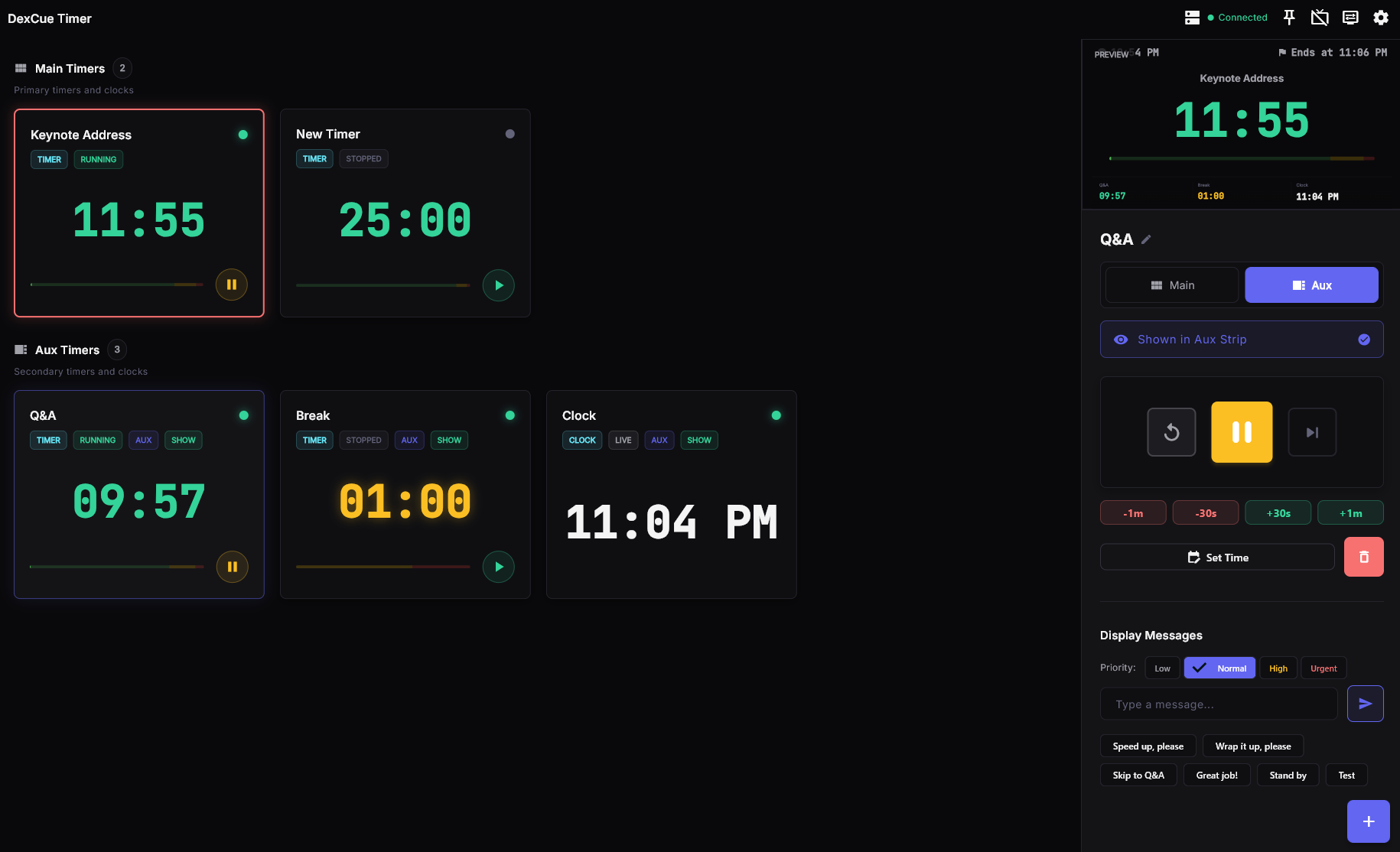
Every call, every cue, one screen.
Operators run the show from one control screen: timer lineup, selected output, live controls, and operator-to-stage messages in one place. No tab-switching, no context loss.
- Stage and audience display previews
- Supporting timers under the main output
- Operator-to-stage messages from the same control screen
- Offline-safe Pro activation
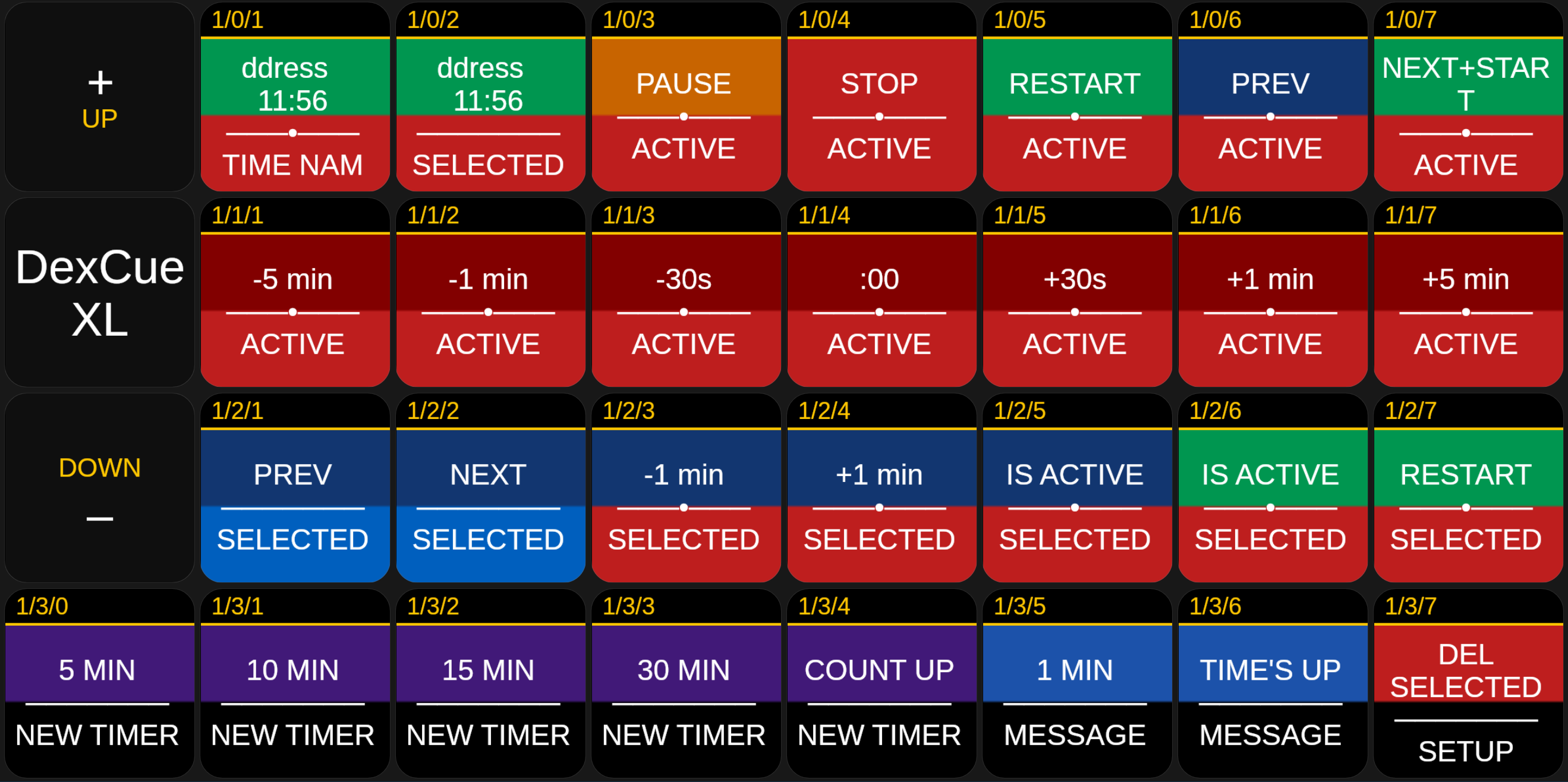
Control every cue from a Stream Deck.
DexCue has a native Bitfocus Companion module. Every timer action lives on a button. No keyboard, no mouse, no switching screens mid-show.
- Start, pause, stop, and restart the active timer
- Fine-tune running time with ±1s, ±30s, and ±1–5 min nudges
- Send color-coded operator messages from a single button
- Open, close, and move displays without touching the Host machine
- Read live timer name, time, and state directly on button labels

DexCue Pro.
Monthly or yearly.
Get the full Pro feature set with either billing option. Pay monthly for flexibility, or pay yearly upfront and claim 50% off year one.
DexCue Pro
For productions and live events. Pick monthly flexibility or pay yearly upfront for 50% off year one.
Pro includes
- One licensed Host timer system per subscription
- Unlimited timers
- Supporting / aux timers
- Operator-to-stage messages
- Clean display output with no watermark
- Remote browser and client control
- Offline-safe Pro activation
- Updates and support
Need more Host machines? Add another Pro subscription when your production grows.